Hela Demo Single Player: Playing Solo with the Shade System
The Hela demo is fully playable solo. The Shade System — the demo’s headline single-player feature — lets you leave up to three magical copies of your mouse that count as real players: they hold pressure plates, weigh down ropes and occupy ritual targets, so every co-op puzzle in the demo can be finished alone. The demo ran until November 9, 2026; the Shade System carries into the full game on December 1.
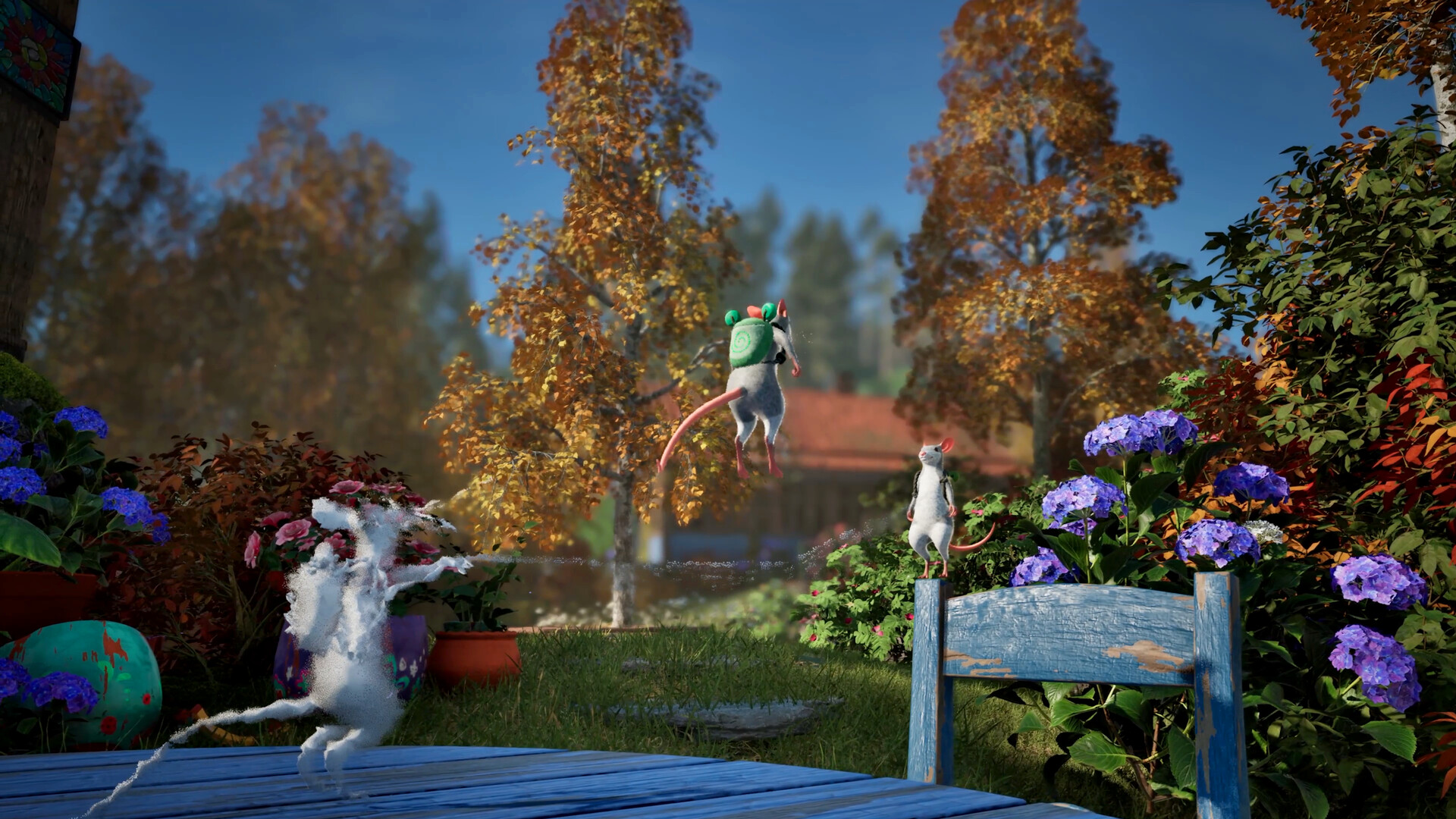
How the Shade System works
The Shade System is Hela’s way of bringing its cooperative ideas into single-player: when you play alone, you create magical copies of yourself that help solve puzzles and interact with the world. The demo’s intro sequence teaches it at the four-plate cave door, and community walkthroughs document the controls consistently: hold Q to leave a Shade standing exactly where you are, keep placing up to a maximum of three, and hold Z to remove them all at once. A Shade is static — it stays put — but for holding a plate or a rope, standing still is the whole job.
- Reach the puzzle. The game introduces Shades at the cave door with four pressure plates — the Frog Teacher explains that the door needs four mice, no more, no fewer.
- Stand on a plate and hold Q. A leaf above the door lights up and your Shade stays behind, holding the plate for you.
- Fill the remaining plates. Walk to the next empty plate and hold Q again; three Shades plus you light all four leaves and the door opens.
- Reset freely. If a puzzle needs a different arrangement, hold Z to clear every Shade and start the pattern over.
Official demo description: play alone, and the Shade System lets you create magical copies of yourself to help solve puzzles and interact with the world — bringing Hela’s cooperative ideas into the single-player experience.
Where Shades matter most in the demo
- The four-plate cave door — the teaching moment: three Shades plus you open the way to the witch’s cave.
- The six rituals — Shades count as mice, so the four-mouse rituals (All for one, Perfect pitch) are solo-completable: pre-place a Shade on a rope, a stump or a triangle target, then fill the rest yourself.
- Rope puzzles — several timed rituals want a rope swept across airborne targets; a Shade holding one end turns a two-mouse trick into a solo routine.
- Checkpoints on climbs — before a hard ascent (like the resin tree on the A Broken Horn altar task), leave a Shade as a save point; if you fall, tapping Q swaps you back instead of re-climbing.
Solo play does not lock you out of anything in the demo — every altar, ritual and Glimmer is reachable alone — but if you would rather share the couch (or a Remote Play session), the setup steps live in our Hela demo co-op guide, and the full route is catalogued in the Hela demo hub.
Frequently asked questions
Can you play the Hela demo solo?
Yes — the demo is fully completable alone. The Shade System creates magical copies of your mouse that stand in for a second player, so every two-mouse puzzle, including the four-plate cave door and the four-mouse rituals, can be finished single-player. Solo players get the complete demo experience.
What is the Shade System in Hela?
It is the single-player answer to Hela's co-op design: you hold a key to leave a magical copy — a Shade — standing wherever you are, and Shades interact with the world like a second mouse. In the demo they hold pressure plates, weigh down rope ends and occupy ritual targets. The system exists in both the demo and the full game.
How many Shades can you have at once?
Three. Community walkthroughs of the demo document a cap of three active Shades — you hold Q to place one, and holding Z removes them all at once. The four-plate door needs your three Shades plus you, and the four-mouse rituals work the same way.
How do I invite friends to the game instead of using Shades?
On one PC, a second player joins a local split-screen session directly — see our Hela demo co-op guide for the steps. On Steam you can also use Remote Play Together to stream the session to a friend online. Shades are for the times nobody is around; they never replace how a real second mouse moves and solves puzzles with you.
Does the demo run on Steam Deck?
Yes — the demo was verified playable on Steam Deck during the Steam Next Fest build, which makes it a genuinely portable solo adventure. Mind that the official minimum specs list split-screen at a low preset, 1080p at 30 fps, so solo play is the lighter way to run it.